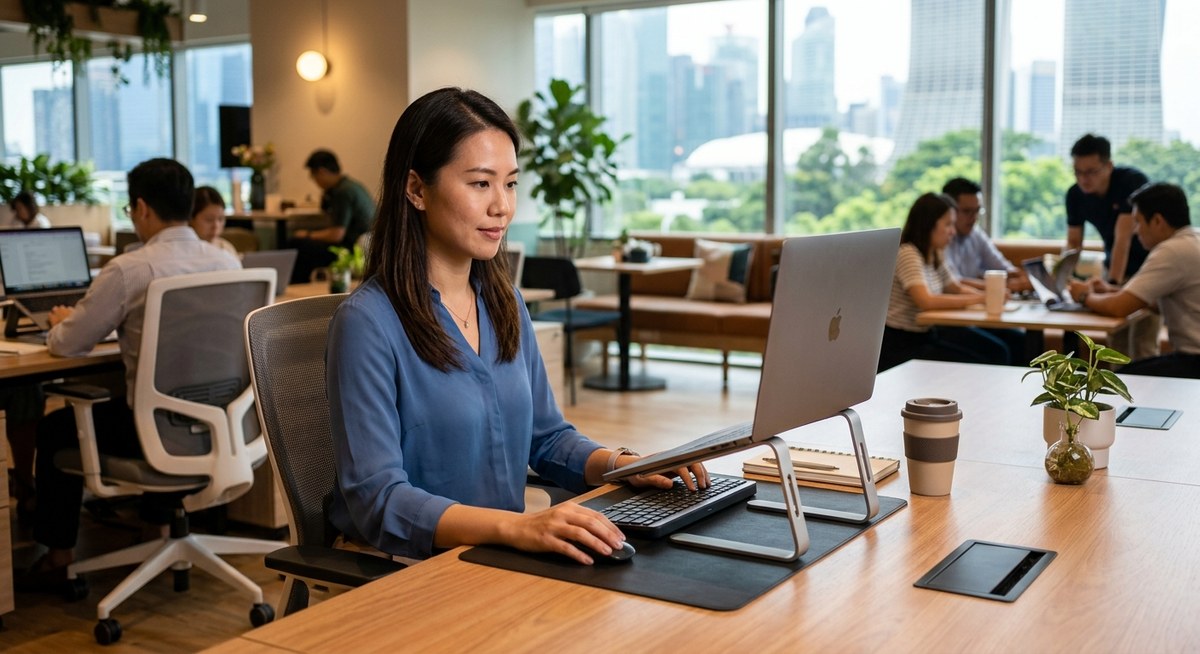
Working in a flexible environment means moving from your home to cafes, coworking spaces, or even outdoor spots. While this variety can boost creativity and productivity, it also comes with the challenge of maintaining good posture. Without proper ergonomics, you risk back pain, strains, and discomfort that can slow you down. Luckily, small adjustments and smart habits can help you stay comfortable no matter where your work takes you.
Understanding the importance of ergonomics on the go
When you work outside a traditional office, your body doesn’t get the same support it’s used to. Chairs, desks, and monitors are designed for fixed setups. In a mobile workspace, you may sit on an uneven surface, use a tiny table, or work on a lap. These changes can put extra stress on your back, neck, and shoulders.
Practicing ergonomics on the go involves adapting your environment and habits to reduce strain. This way, you can protect your spine and stay productive without discomfort.
Practical steps to prevent back pain when working in different locations
Here are clear, easy-to-follow techniques to keep your back healthy while working remotely or in coworking spaces:
-
Choose the right seating and support
Invest in a portable ergonomic cushion or lumbar roll. These small items can make a huge difference on park benches, cafes, or any hard surface. If you’re working at a desk, ensure your chair supports your lower back and allows your feet to rest flat on the ground. When sitting on softer or uneven surfaces, use cushions or foldable footrests to keep your hips and knees at a comfortable angle. -
Position your screen and keyboard at eye level
Whether you’re on a laptop, tablet, or external monitor, aim to keep the screen at eye level. Use a portable stand or stack books to raise your device. Placing your screen higher prevents you from leaning forward or tilting your neck. Pair this with a compact, portable keyboard and mouse to keep your wrists straight and your arms relaxed. -
Move often and stretch regularly
Set a timer or reminder to stand, stretch, and walk around every 30 to 45 minutes. Simple stretches like shoulder rolls, spinal twists, and hamstring stretches can alleviate tension. Incorporate micro-breaks into your schedule to reset your posture and reduce muscle fatigue.
Quick reference table of techniques
| Technique | Mistake to avoid | Why it matters |
|---|---|---|
| Using makeshift support | Sitting without lumbar support | Causes lower back strain |
| Screen too low or high | Looking down or up constantly | Leads to neck and shoulder pain |
| Staying seated for long periods | Forgetting to move or stretch | Promotes stiffness and discomfort |
| Working on uneven surfaces | Sitting on hard, unstable ground | Increases risk of poor posture |
| Rigidly sticking to one position | Not adjusting your setup when uncomfortable | Creates muscle tension and pain |
“The key to ergonomic success on the go is adaptability. Always listen to your body and modify your workspace to fit your comfort needs.” — ergonomic specialist Dr. Lisa Tran
Recognizing common mistakes and how to fix them
Even with good intentions, it’s easy to fall into habits that cause back pain. Here’s a quick overview of typical errors and ways to address them:
| Technique | Mistake | Corrective action |
|---|---|---|
| Slouching in chairs | Unsupported back posture | Use lumbar support or cushions |
| Holding devices too low or high | Neck strained from poor screen placement | Adjust screen height regularly |
| Sitting without breaks | No movement for hours | Take micro-breaks every 30 minutes |
| Using unstable surfaces | Sitting on logs, benches, or ground | Find portable support or sit on a portable cushion |
| Ignoring your body’s signals | Continuing to work despite discomfort | Shift positions and stretch early |
Expert advice on good ergonomics on the go
“Consistency is key. Regularly check your posture and environment, even when working away from your usual setup. Small habits can prevent big back problems over time.” — certified physiotherapist Mark Lee
Tips for creating a mobile ergonomic routine
Incorporate these into your daily work routine to stay comfortable:
- Always carry a lightweight lumbar cushion or ergonomic support.
- Use a portable laptop stand or stack books to elevate your screen.
- Keep a small stretch kit or resistance bands in your bag.
- Schedule regular breaks to stand, walk, and stretch.
- Adjust your workspace setup as needed for each location.
How coworking spaces can support ergonomic on-the-go work
Coworking spaces are designed with flexibility and comfort in mind. Many offer ergonomic chairs, adjustable desks, and quiet zones. When using coworking spaces, take advantage of these features to maintain good posture. If you work from cafes or outdoor locations, consider visiting coworking spaces periodically for a more ergonomic setup.
Coworking spaces also foster community and shared knowledge. Members often exchange tips on staying comfortable in various environments. It’s a good idea to ask staff for ergonomic recommendations or to see if they offer ergonomic accessories.
Final thoughts on staying comfortable anywhere you work
Prioritizing ergonomics on the go isn’t about perfection but about making smart choices consistently. Small adjustments like elevating your screen, supporting your lower back, and taking regular breaks can significantly reduce back pain and improve your focus.
Remember, your body benefits from movement just as much as from good posture. By integrating these habits into your routine, you can enjoy the freedom of working wherever you want without sacrificing comfort or health.
Keep moving and stay comfortable wherever work takes you
With a little planning and mindfulness, you can prevent back pain naturally. Adapt your workspace, listen to your body, and don’t hesitate to seek out coworking spaces that support ergonomic needs. The ability to work comfortably in any environment makes your productivity and well-being thrive.