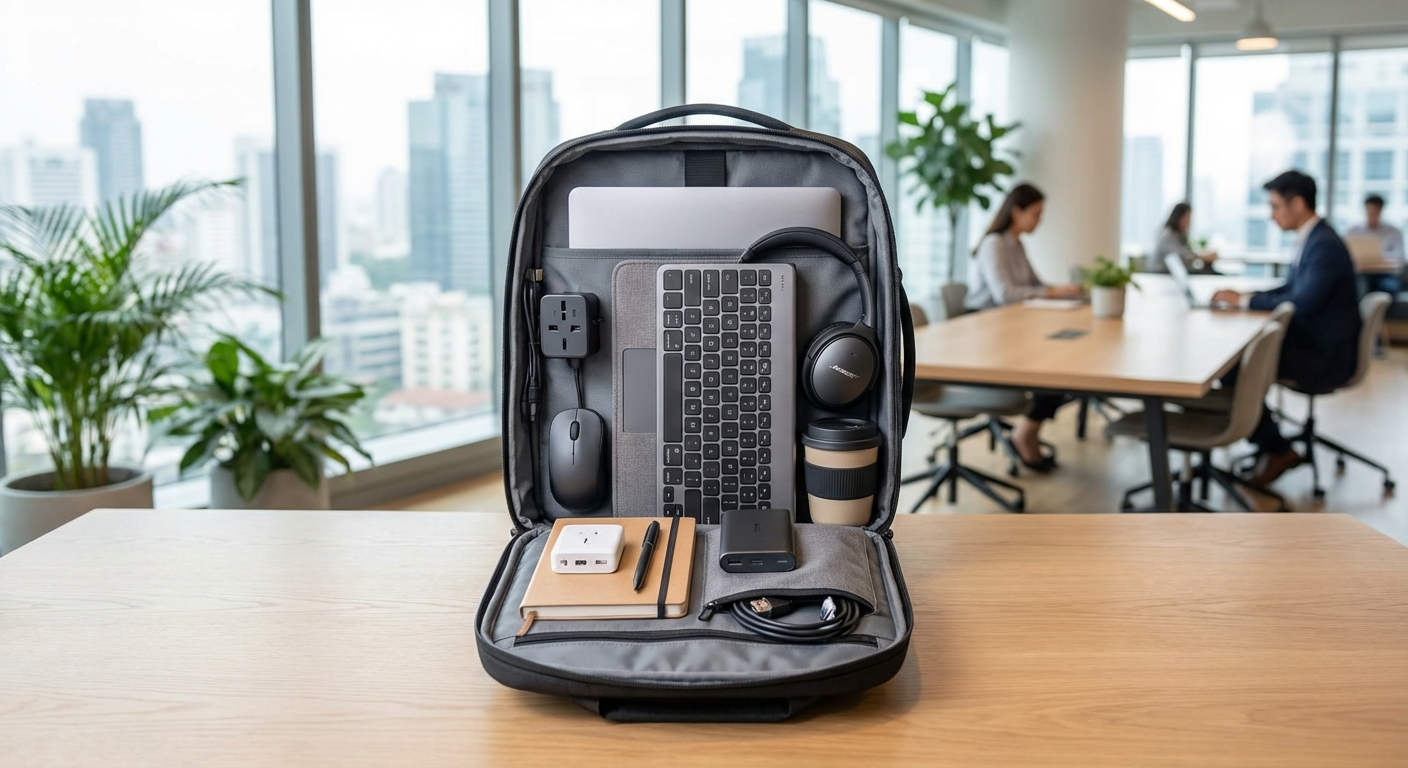
Packing for remote work travel is different from vacation packing. You’re not just bringing clothes and toiletries. You’re carrying your entire office on your back. One missing cable can derail a client presentation. A forgotten adapter can leave you scrambling at midnight in a foreign city. The right remote work travel packing list keeps you productive, professional, and stress-free no matter where you land.
A comprehensive remote work travel packing list includes reliable tech gear, backup power solutions, ergonomic accessories, and organizational tools. Prioritize versatile equipment that works across multiple countries, invest in quality cables and adapters, and always pack redundancy for critical items. Your productivity depends on preparation, not improvisation.
Essential Tech Hardware for Remote Work Travel
Your laptop is obvious. Everything else requires careful thought.
Start with your primary work device. Choose a laptop with at least 8 hours of battery life. You’ll face unexpected delays, long flights, and spaces without power outlets. A dying battery during a video call looks unprofessional.
Bring a backup device. A tablet or secondary laptop saves you if your primary machine fails. I learned this after my laptop died in Bangkok two days before a major deadline. My iPad became my lifeline.
Your phone needs to handle work tasks. Make sure it can run your essential apps, join video meetings, and serve as a mobile hotspot. Test the hotspot feature before you leave. Some carriers restrict this capability internationally.
Invest in noise-canceling headphones. Airport lounges, coffee shops, and coworking spaces near Changi Airport all come with ambient noise. Quality headphones let you focus anywhere.
Pack a portable external monitor if you work with multiple screens. Foldable USB-C monitors weigh less than two pounds but double your screen real estate. Your productivity will thank you.
Power Solutions That Actually Work Internationally
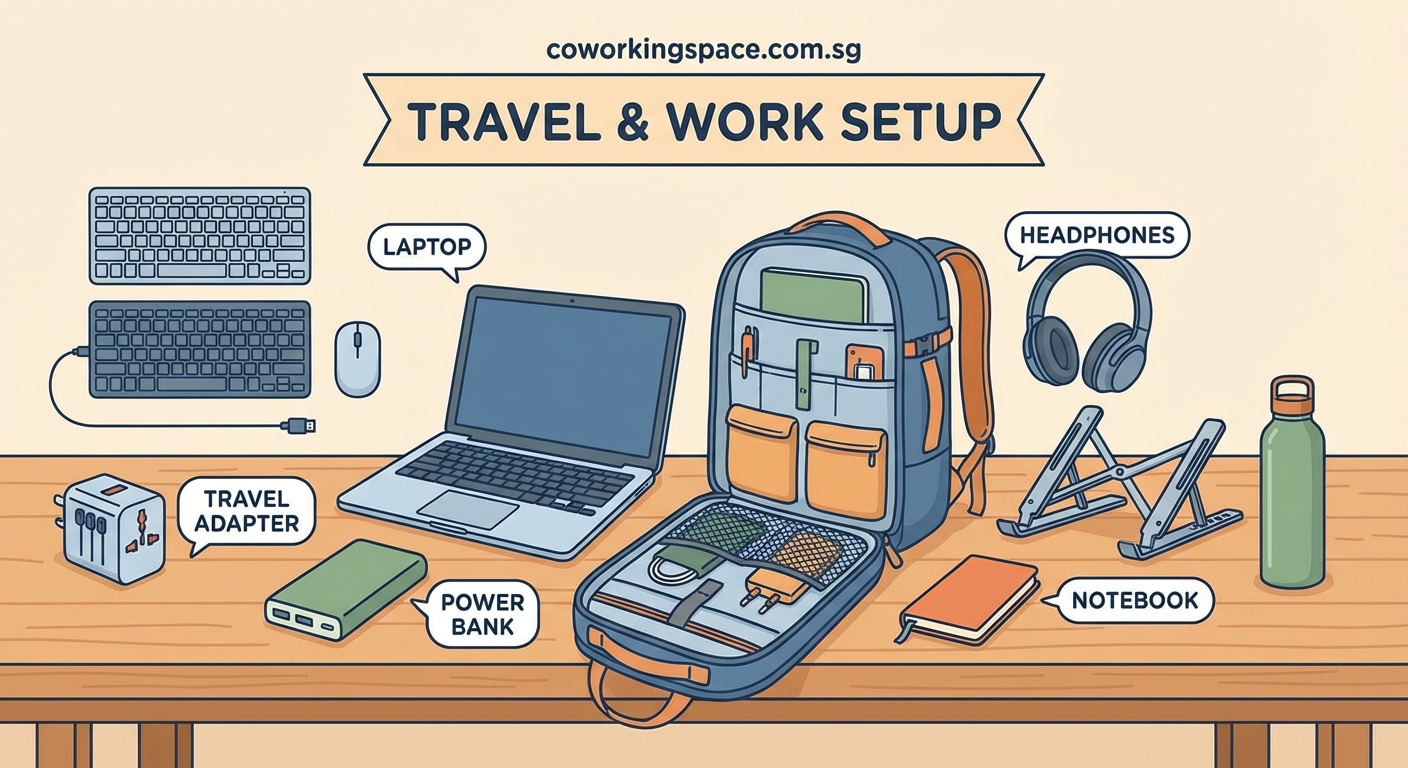
Power management separates prepared travelers from stressed ones.
Universal travel adapters are non-negotiable. Buy one with multiple USB ports and international plug compatibility. The all-in-one models work in over 150 countries.
Bring at least two charging cables for every device. Cables break, get lost, or stop working at the worst moments. Pack extras in different bags.
A high-capacity power bank keeps your devices alive during long travel days. Choose one with 20,000mAh or higher capacity. Make sure it’s airline-approved (under 100Wh).
Consider a portable laptop charger. These specialized power banks can charge your laptop 1-2 times. They’re heavier but worth it for long flights or remote locations.
Voltage converters matter for certain devices. Most modern electronics handle 110-240V automatically, but check your gear. Hair dryers and some older equipment need converters.
Pack a small power strip with USB ports. Hotel rooms and coworking spaces often have limited outlets. You’ll become everyone’s favorite person when you can share power.
Connectivity Tools for Reliable Internet Access
Internet reliability makes or breaks remote work travel.
A portable WiFi hotspot device provides backup internet. Services like Skyroam or GlocalMe work across multiple countries without SIM card swaps. They’re expensive but reliable.
Local SIM cards offer better value for longer stays. Research providers before arrival. Some countries require passport registration. Others sell tourist SIM cards at the airport.
VPN software protects your data on public networks. Choose a reputable paid service. Free VPNs often sell your browsing data or throttle speeds. Test your VPN before traveling to ensure it works in your destination country.
Ethernet cables seem old-school but solve WiFi problems. Many hotels and coworking spaces in Singapore offer wired connections that are faster and more stable than wireless.
WiFi extenders help in large hotel rooms or apartments where the router sits far from your workspace. Compact travel models fit in your pocket.
Ergonomic Accessories That Fit in Your Bag
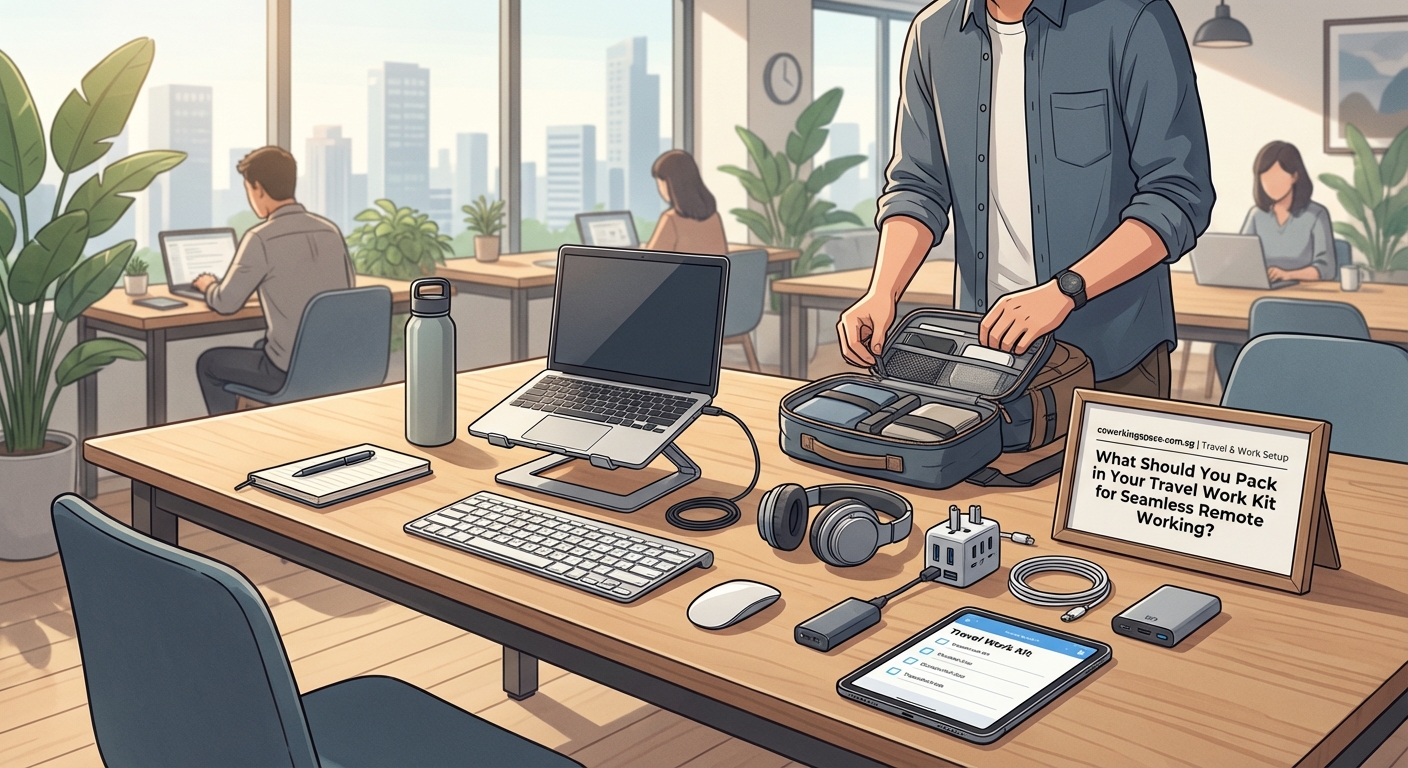
Comfort directly impacts productivity. Pack these items to protect your body.
A laptop stand elevates your screen to eye level. Foldable models weigh just a few ounces. Your neck and shoulders will feel the difference after a few hours of work.
An external keyboard and mouse create a proper workstation anywhere. Compact Bluetooth models take minimal space. They turn any surface into a comfortable workspace.
A portable laptop sleeve with padding protects your investment. Choose one with extra pockets for cables and accessories. Organization saves time and stress.
Wrist rests reduce strain during long typing sessions. Small gel-filled models fit in any bag pocket. They make cramped airplane tray tables more bearable.
Blue light blocking glasses reduce eye strain from screens. Essential for back-to-back video calls or late-night work sessions. Pack them in a hard case to prevent damage.
Organization Systems for Digital Nomads
Organization prevents the frantic search for missing items.
Cable organizers keep cords tangle-free. Roll-up pouches with elastic loops hold everything in place. Label cables with colored tags for instant identification.
Packing cubes separate work gear from personal items. Use one cube exclusively for tech accessories. Another for cables. A third for backup items.
A dedicated work bag within your luggage keeps essentials accessible. Choose one that fits under airplane seats. You need laptop access without opening overhead bins.
Waterproof pouches protect electronics from spills and weather. Even a small leak can destroy thousands of dollars of equipment. Prevention costs less than replacement.
Create a digital inventory with photos and serial numbers. Store it in cloud storage. This documentation helps with insurance claims and replacement if items get stolen or lost.
Backup and Security Essentials
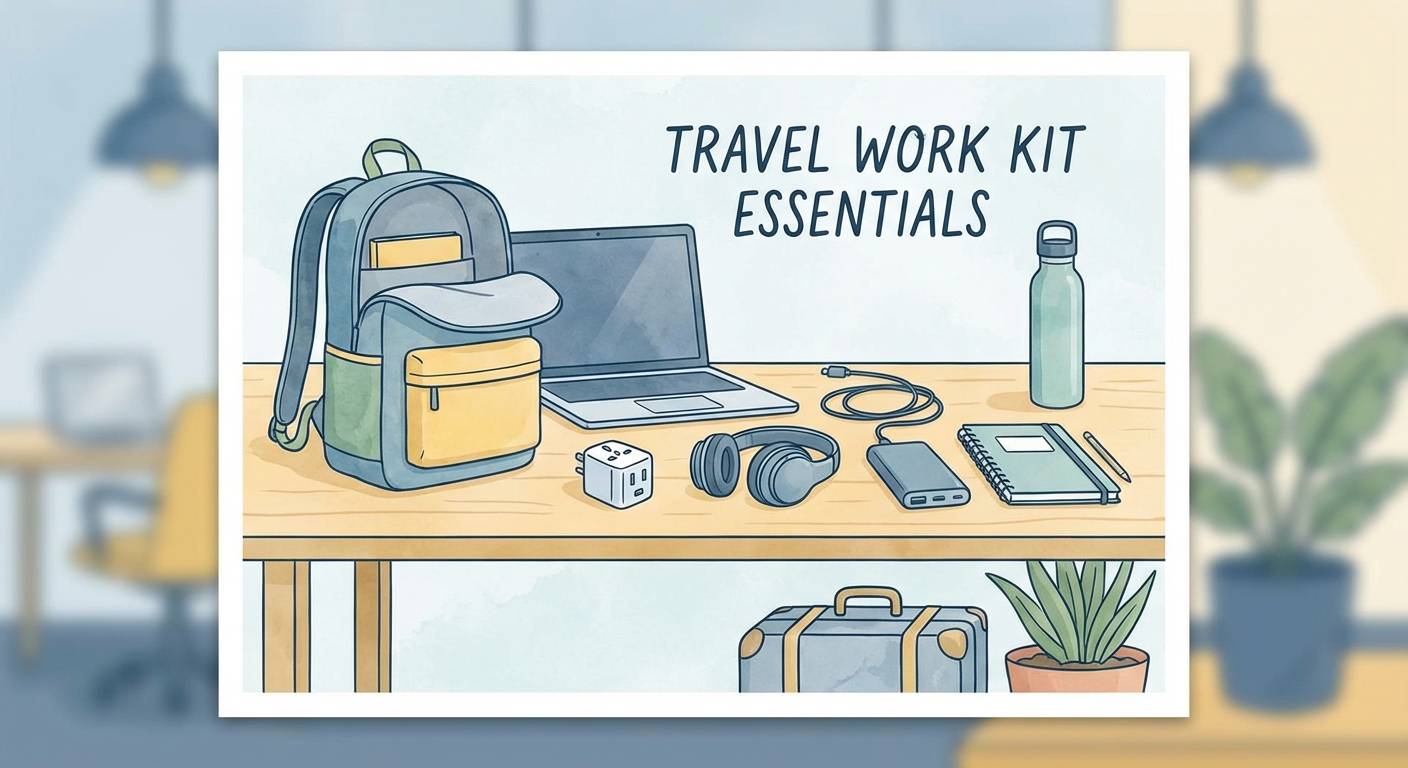
Redundancy protects your work and livelihood.
External hard drives provide offline backup. Cloud storage is convenient but requires internet. Physical backups work everywhere.
USB security keys add two-factor authentication to sensitive accounts. Small enough to attach to your keychain. Critical for protecting client data and financial information.
A privacy screen protects sensitive information in public spaces. These filters make your screen unreadable from side angles. Essential for working in shared workspaces.
Laptop locks deter opportunistic theft in coworking spaces and hotel rooms. Cable locks attach to most laptops and secure to fixed objects.
Travel insurance that covers electronics provides peace of mind. Regular travel insurance often has low limits for tech gear. Specialized coverage costs more but protects your entire mobile office.
Productivity Tools Beyond Technology
Physical tools complement digital ones.
A quality notebook and pen capture ideas during flights or when devices need charging. Some thoughts flow better on paper. Moleskine and Leuchtturm1917 make durable travel notebooks.
Portable document scanner apps turn your phone into a scanner. But a small physical scanner handles receipts, contracts, and documents more efficiently. Models like the Fujitsu ScanSnap fit in a laptop bag.
Noise-masking earplugs provide backup when headphones run out of battery. High-fidelity models reduce volume without muffling sounds. You can still hear announcements but block distracting conversations.
A small desk lamp improves lighting in dim hotel rooms or evening work sessions. USB-powered LED lamps take no extra space and run off your laptop or power bank.
Sticky notes and small whiteboards help with brainstorming and task management. Sometimes analog tools work better than digital ones for visual thinking.
Health and Comfort Items for Long-Term Travel
Productivity depends on physical wellbeing.
A reusable water bottle with filter ensures safe hydration anywhere. Dehydration kills focus and energy. Many airports now have refill stations.
Hand sanitizer and disinfecting wipes protect against germs in shared spaces. Keyboards, mice, and desk surfaces in coworking environments get touched by dozens of people daily.
Basic first aid supplies handle minor issues before they become major problems. Pain relievers, bandages, and any prescription medications you need. Some countries restrict certain over-the-counter drugs.
Compression socks improve circulation on long flights. They reduce swelling and fatigue. Your legs will feel better after 12-hour journeys.
Sleep aids for different time zones help you adjust faster. Melatonin, eye masks, and earplugs improve rest quality. Better sleep means better work performance.
How to Pack Your Remote Work Kit Efficiently
Packing strategy matters as much as what you pack.
- List every item you need for work tasks. Be specific about cables, adapters, and accessories.
- Remove anything you haven’t used in your last three work sessions. Unused items add weight without value.
- Pack essential items in your carry-on bag. Never check your laptop, chargers, or critical accessories.
- Use the same packing system every trip. Muscle memory speeds up packing and reduces forgotten items.
- Test all equipment before leaving. Charge batteries, verify cables work, and update software.
- Create a departure checklist on your phone. Review it before leaving any location to avoid leaving items behind.
Common Packing Mistakes and How to Avoid Them
| Mistake | Consequence | Solution |
|---|---|---|
| Packing only one charger | Device dies with no way to recharge | Bring backup cables and power banks |
| Forgetting adapter types for destination | Cannot plug in equipment | Research outlet types and buy adapters in advance |
| Overpacking unnecessary gear | Heavy bags and airline fees | Audit items and remove anything not used weekly |
| Not testing equipment before travel | Discovering broken gear at destination | Test everything 48 hours before departure |
| Checking valuable electronics | Lost luggage means lost work capability | Always carry essential tech in cabin luggage |
| Using cheap cables and accessories | Failures at critical moments | Invest in quality gear from reputable brands |
Location-Specific Considerations for Your Packing List
Different destinations require different approaches.
Southeast Asia has reliable tech shops in major cities. You can replace most items locally at reasonable prices. Focus on bringing essentials and buy extras if needed.
Remote locations require complete self-sufficiency. If you’re heading to rural areas or developing regions, pack every possible backup. Replacement options may not exist.
Climate affects equipment needs. Tropical humidity damages electronics without proper protection. Arctic cold drains batteries faster. Research your destination’s conditions.
Countries with strict customs regulations may restrict certain electronics. Research import rules for laptops, drones, and communication devices. Some nations require permits or declarations.
Understanding coworking membership types in your destination helps determine what equipment the space provides versus what you must bring.
Digital Tools That Replace Physical Items
Smart packing means choosing digital alternatives.
- Cloud storage replaces external hard drives for most users. Services like Dropbox, Google Drive, and OneDrive sync across devices.
- Digital business cards eliminate paper cards. Apps like Linq and HiHello share contact information via phone taps.
- E-readers replace physical books and documents. A Kindle holds thousands of books in the space of one paperback.
- Note-taking apps replace notebooks for many workers. Notion, Evernote, and OneNote sync across devices and never run out of pages.
- Password managers eliminate physical password lists. 1Password and Bitwarden secure credentials and sync everywhere.
- Digital receipts and expense tracking apps replace physical receipt storage. Expensify and Receipt Bank automate expense reporting.
Building Your Personal Remote Work Travel System
Your ideal packing list evolves with experience.
Start with the basics: laptop, charger, adapter, phone, and headphones. Add items as you identify gaps in your setup.
Track what you actually use during trips. Items that stay in your bag for entire journeys can probably stay home next time.
Consider your work style and requirements. Video producers need different gear than writers. Designers have different needs than consultants. Customize your list accordingly.
Budget matters but quality saves money long-term. Cheap cables break. Unreliable power banks fail. Poor headphones hurt productivity. Invest in items you use daily.
Review and update your packing list quarterly. Technology improves. Your needs change. New solutions emerge. An outdated list leads to outdated productivity.
Testing Your Setup Before Major Trips
A trial run prevents travel disasters.
Spend a full workday using only what you plan to pack. Work from a coffee shop or coworking space. Identify missing items before you’re 5,000 miles from home.
Simulate connectivity problems. Turn off your main internet and rely on your backup solutions. Can you still meet deadlines?
Test battery life under real conditions. Run your laptop, phone, and accessories for a full work day without charging. Know your actual runtime, not manufacturer claims.
Practice your packing routine. Time how long it takes to pack and unpack your work kit. Efficiency matters when catching early flights or changing locations frequently.
Document your setup with photos. If something breaks, you’ll know exactly what to replace. Photos also help with insurance claims.
Maintaining Your Equipment on the Road
Prevention beats emergency repairs.
Clean your devices regularly. Dust, dirt, and debris accumulate during travel. Compressed air and microfiber cloths keep equipment running smoothly.
Update software during downtime, not before important meetings. Updates sometimes cause problems. Install them when you have time to troubleshoot.
Inspect cables and connectors weekly. Fraying cables fail without warning. Replace them before they break, not after.
Store equipment properly when not in use. Padded cases prevent damage. Proper storage extends equipment life and maintains resale value.
Keep backup documentation for all gear. Serial numbers, purchase dates, and warranty information help with repairs or replacements. Store this information in encrypted cloud storage.
When to Upgrade Your Remote Work Travel Kit
Knowing when to replace gear prevents failures.
Replace batteries showing significant degradation. If your laptop barely makes it through two hours, it’s time for a new battery or device.
Upgrade when new technology solves persistent problems. If you constantly struggle with storage space, a larger hard drive makes sense. If video calls lag, better headphones with improved microphones help.
Consider weight reductions when replacing items. Newer models often weigh less while offering better performance. Every ounce matters when traveling frequently.
Evaluate total cost of ownership. Sometimes expensive items last longer and perform better than buying cheap replacements repeatedly.
Watch for major coworking trends that might change your equipment needs. If more spaces offer equipment rentals, you might pack less.
Making Your Remote Work Travel Kit Work Anywhere
Your packing list should support work in any environment.
Test your setup in different lighting conditions. Can you see your screen in bright sunlight? Do you have adequate lighting for video calls in dark spaces?
Verify audio quality in noisy and quiet environments. Your microphone should handle both bustling cafes and silent libraries.
Ensure your power solutions work with different outlet configurations. Some countries use multiple plug types. Your adapter should handle all variations.
Check that your backup internet solutions function in your destination countries. Some portable hotspots don’t work everywhere. Research coverage before relying on them.
Consider the physical security of different environments. Coworking day passes versus monthly memberships offer different security levels. Adjust your security measures accordingly.
Your Mobile Office Starts With Smart Packing
The difference between struggling and thriving as a remote worker often comes down to preparation. Your remote work travel packing list isn’t just about having the right stuff. It’s about having the right stuff that works reliably anywhere you go.
Start building your kit today. Begin with the essentials and refine through experience. Test everything before your next trip. Document what works and what doesn’t. Your future self will thank you when you’re productive and stress-free, no matter where in the world you open your laptop.