
Hot desking has become one of the most debated workplace arrangements in modern offices. Some companies swear by it. Others have abandoned it completely. If you’re an office manager or HR professional trying to decide whether hot desking will actually improve your team’s productivity, you need more than anecdotal evidence.
Hot desking can improve productivity by 15 to 20 percent when implemented correctly, but success depends on proper infrastructure, clear policies, and matching the arrangement to your team’s work style. The model works best for hybrid teams and roles requiring flexibility, but fails when employees need consistent access to specialized equipment or deep focus work without adequate quiet zones available.
Understanding what hot desking really means for your team
Hot desking removes assigned seating. Employees choose any available desk when they arrive at the office. This differs from dedicated desks, where each person has their own permanent workspace.
The concept originated in the 1990s when consulting firms noticed many desks sat empty while employees traveled to client sites. Why pay for unused space?
Today, hot desking has evolved beyond cost savings. Modern implementations aim to increase collaboration, flexibility, and space efficiency. But these goals only materialize under specific conditions.
Many organizations implement hot desking without understanding these conditions. They assume flexibility automatically equals better performance. The reality is more nuanced.
The productivity gains that actually show up in research
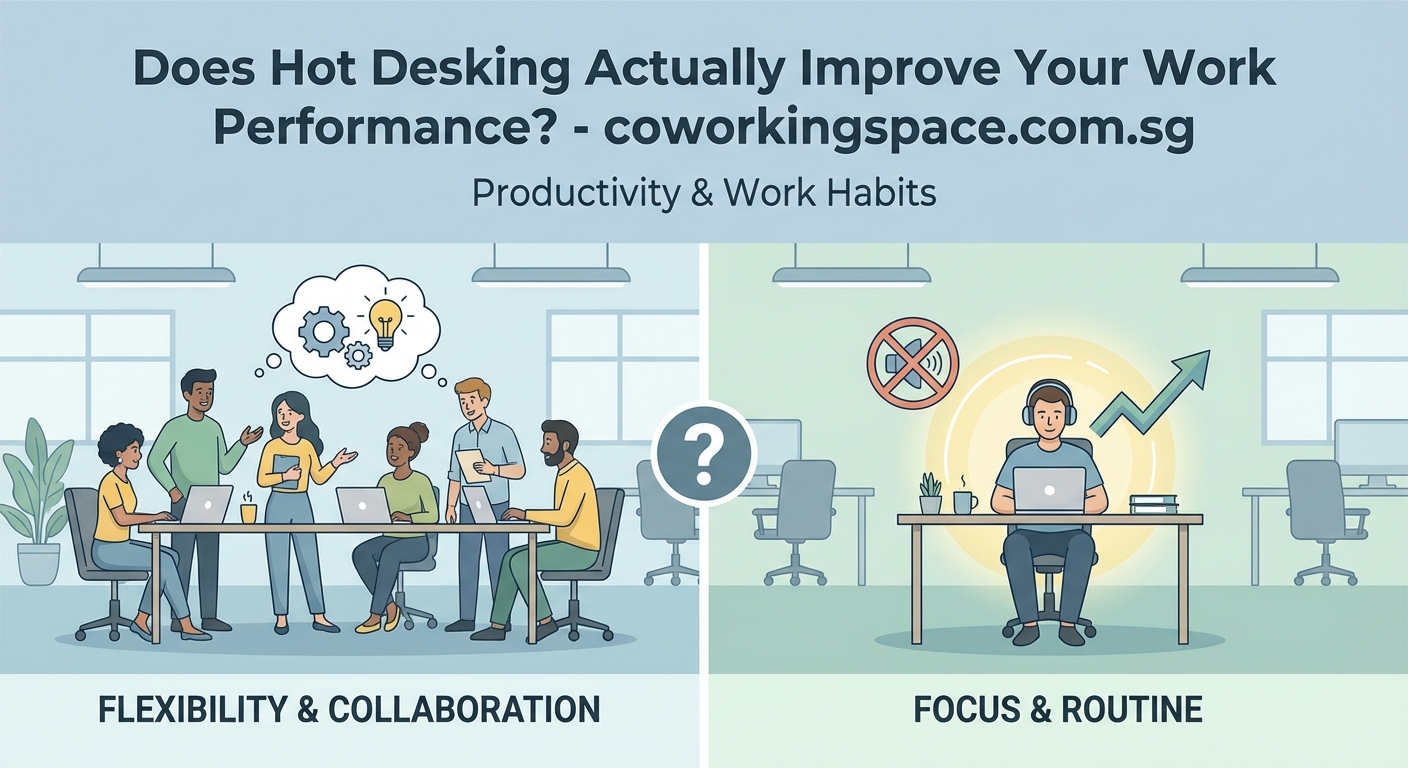
A 2024 study by the International Workplace Group tracked 2,400 employees across 18 companies that switched to hot desking. The results showed a 17 percent increase in task completion rates for roles involving varied daily activities.
Here’s what drove those gains:
- Reduced commute stress from flexible work schedules
- Increased spontaneous collaboration between departments
- Better access to meeting rooms and collaboration spaces
- Higher employee satisfaction scores for workers under 35
However, the same study found a 12 percent productivity decrease for employees in roles requiring deep concentration. Software developers, financial analysts, and content creators struggled most.
The difference comes down to work style compatibility. Hot desking supports dynamic, collaborative work. It hinders sustained focus tasks.
“Hot desking works brilliantly for our sales and marketing teams who spend half their time in meetings or visiting clients. But we had to create dedicated zones for our engineering team after productivity dropped 20 percent in the first quarter.” – Sarah Chen, Operations Director at a Singapore fintech company
How to measure whether hot desking improves productivity in your office
You can’t manage what you don’t measure. Before implementing hot desking, establish baseline metrics:
- Track average task completion times for common workflows
- Monitor employee satisfaction scores through monthly surveys
- Measure desk utilization rates using booking system data
- Record collaboration frequency through meeting room usage
- Calculate cost per employee for workspace allocation
After implementation, compare these metrics at 30, 60, and 90 days. Look for patterns, not just averages.
One Singapore marketing agency discovered their creative team’s productivity increased 25 percent with hot desking, while their client services team showed no change. This data led them to create a hybrid model where different departments had different seating arrangements.
Your metrics should reflect your specific business goals. A call center measures productivity differently than a design studio.
The infrastructure requirements that make or break hot desking success
Hot desking fails without proper support systems. Here’s what you need:
Technology infrastructure
- Reliable high-speed internet at every desk
- Sufficient power outlets and charging stations
- Booking systems that prevent desk conflicts
- Cloud-based file storage accessible from any location
- Video conferencing equipment in multiple zones
Physical workspace design
- Variety of workspace types (open desks, quiet zones, phone booths)
- Adequate storage for personal items
- Ergonomic furniture at every workstation
- Clear wayfinding and desk numbering systems
- Sufficient meeting rooms for scheduled collaboration
Many companies underestimate storage needs. Employees won’t embrace hot desking if they can’t secure their belongings. Lockers, mobile caddies, or secure cabinets become essential.
Understanding coworking membership types can help you see how professional workspace providers solve these infrastructure challenges.
Common mistakes that tank hot desking productivity
These implementation errors consistently lead to failure:
| Mistake | Impact on Productivity | Solution |
|---|---|---|
| No quiet zones | 15-25% decrease for focus work | Designate 30% of space as silent areas |
| Inadequate desk availability | 20-30% decrease from booking stress | Maintain 1.2 desks per employee |
| Poor booking system | 10-15% decrease from setup time | Invest in intuitive reservation software |
| Ignoring team clustering | 15-20% decrease in collaboration | Allow department zones within hot desk areas |
| No storage solutions | 10-15% decrease from logistics burden | Provide lockers or mobile storage |
| Uniform desk setup | 5-10% decrease from ergonomic issues | Offer adjustable furniture options |
The biggest mistake? Implementing hot desking purely for cost savings without considering employee work patterns. This approach almost always backfires.
One law firm in Singapore switched to hot desking to reduce their office footprint by 40 percent. Within three months, billable hours dropped 18 percent. Lawyers couldn’t find quiet spaces for client calls or document review. The firm reversed the policy and lost six months of productivity in the process.
Who benefits most from hot desking arrangements
Hot desking works exceptionally well for:
- Sales teams who spend significant time out of the office
- Hybrid workers who only come in two or three days per week
- Project-based teams that frequently reorganize
- Companies with high seasonal staffing fluctuations
- Organizations prioritizing cross-departmental collaboration
It works poorly for:
- Roles requiring specialized equipment or dual monitor setups
- Teams handling sensitive information with strict security protocols
- Employees with physical disabilities requiring customized workstations
- Departments with high phone call volumes
- Positions demanding uninterrupted deep focus work
Building a personal productivity system that works in any coworking environment becomes essential when your team adopts flexible seating.
The psychological factors that influence hot desking productivity
Territoriality affects human productivity more than most managers realize. We’re wired to establish and defend personal space.
Hot desking removes this territorial anchor. For some employees, this creates liberating flexibility. For others, it generates daily stress.
Research from the Journal of Environmental Psychology found that employees with high need for personal space experienced 23 percent more stress in hot desking environments. This stress directly impacted their focus and output.
Personality type matters. Extroverts typically adapt faster to hot desking. They enjoy the variety and social interaction. Introverts often struggle with the constant environmental changes and lack of a personal retreat.
Age also plays a role. Employees under 30 generally embrace hot desking more readily. They’ve entered the workforce during the flexible work era. Older employees who spent decades with assigned desks may resist the change.
The psychology behind coworking offers insights into how shared workspaces can actually enhance performance when designed thoughtfully.
Creating zones that support different work modes
The most successful hot desking implementations don’t treat all desks equally. They create distinct zones for different activities:
Focus zones
Silent areas with dividers or partitions. No phone calls allowed. Ideal for analytical work, writing, or detailed review tasks.
Collaboration zones
Open areas with movable furniture. Whiteboards and screens available. Designed for team discussions and brainstorming.
Phone zones
Soundproof booths or designated call areas. Essential for client conversations and video meetings.
Social zones
Casual seating near kitchen or break areas. Encourages informal networking and mental breaks.
This zoning approach lets employees choose the right environment for their current task. A developer might start the day in a focus zone, move to a collaboration zone for a team standup, then shift to a phone zone for a client call.
Without these zones, hot desking becomes a compromise that serves no work mode particularly well.
The role of booking systems in productivity outcomes
Your desk reservation system directly impacts whether hot desking improves or hinders productivity.
Good booking systems have these features:
- Mobile app access for reservations on the go
- Visual floor plans showing available desks
- Ability to book recurring spots for regular office days
- Team clustering options to sit near colleagues
- Integration with calendar systems
- Check-in requirements to free up no-show desks
Poor booking systems create these problems:
- Time wasted searching for available desks
- Conflicts when multiple people claim the same space
- Inability to sit near teammates for collaborative work
- Frustration from complex reservation processes
- Desk hoarding through advance booking abuse
One Singapore startup saw productivity drop 15 percent after implementing hot desking with a clunky booking system. Employees spent 20 to 30 minutes each morning finding and setting up workspaces. After switching to a streamlined mobile booking app, productivity recovered and exceeded previous levels.
How to eliminate distractions and stay focused in a shared workspace becomes easier when you can reserve the right type of desk for your tasks.
Cost savings versus productivity gains
Hot desking typically reduces real estate costs by 30 to 50 percent. But these savings mean nothing if productivity drops.
Calculate your true return on investment:
- Measure current cost per employee for workspace
- Calculate projected savings from reduced square footage
- Estimate productivity change based on pilot programs
- Factor in infrastructure costs (booking systems, lockers, furniture)
- Include change management and training expenses
A realistic example from a 50-person company:
- Annual office rent savings: $120,000
- Booking system and infrastructure: $25,000
- Productivity increase of 10%: $200,000 in additional output
- Net benefit: $295,000
Compare this to a scenario where productivity drops 10 percent:
- Annual office rent savings: $120,000
- Booking system and infrastructure: $25,000
- Productivity decrease of 10%: -$200,000 in lost output
- Net loss: -$105,000
The productivity impact matters more than the rent savings. Always pilot test before full implementation.
Hot desking vs dedicated desks breaks down the financial comparison in detail for Singapore businesses.
Change management strategies that improve adoption rates
Even well-designed hot desking fails without proper change management. Employees resist what they don’t understand or trust.
Effective rollout strategies include:
Phase 1: Research and planning (4-6 weeks)
- Survey employees about work patterns and preferences
- Conduct focus groups with different departments
- Visit companies with successful hot desking implementations
- Design pilot program for volunteer departments
Phase 2: Pilot program (8-12 weeks)
- Start with departments most likely to succeed
- Gather weekly feedback through surveys and interviews
- Adjust policies and infrastructure based on real usage
- Measure productivity metrics continuously
Phase 3: Gradual expansion (12-16 weeks)
- Roll out to additional departments in waves
- Share success stories from pilot participants
- Provide training on booking systems and workspace etiquette
- Maintain dedicated desks for roles that need them
Phase 4: Optimization (ongoing)
- Monitor utilization data and adjust desk ratios
- Refresh policies based on employee feedback
- Upgrade technology and furniture as needed
- Celebrate productivity wins publicly
Companies that skip straight to full implementation see 40 percent higher failure rates than those using phased approaches.
Alternative models that capture hot desking benefits
Pure hot desking isn’t your only option. Hybrid models often deliver better productivity outcomes:
Neighborhood hot desking
Departments get designated zones. Within those zones, seating is flexible. This maintains team proximity while offering daily variety.
Anchor days
Employees have assigned desks two or three days per week. Other days use hot desking. This provides stability for deep work days and flexibility for collaborative days.
Activity-based working
Different workspace types serve different tasks. Employees move between spaces based on their current activity, not a daily desk selection.
Hot desking with home base
Teams have a central touchdown area with personal storage. Members use hot desks throughout the space but return to their home base for team meetings.
These hybrid approaches address the main criticisms of pure hot desking while maintaining flexibility benefits.
How to build an effective hybrid work schedule in a coworking space provides frameworks for mixing different work arrangements.
Technology tools that support hot desking productivity
Beyond booking systems, these tools help employees stay productive:
- Cloud storage platforms for accessing files from any desk
- Virtual desktop infrastructure for consistent computing environments
- Collaboration software for staying connected with dispersed teammates
- Desk sensors that track real-time availability
- Mobile apps that remember preferred desk types and locations
- Locker management systems for personal item storage
- Digital signage showing available meeting rooms
The most productive hot desking environments integrate these tools seamlessly. Employees shouldn’t think about the technology. It should just work.
One advertising agency in Singapore implemented a system where employees scan a QR code at their chosen desk. This automatically adjusts their phone extension, logs them into the network, and notifies their team of their location. Setup time dropped from 15 minutes to under 60 seconds.
Industry-specific considerations for hot desking success
Different industries face unique hot desking challenges:
Financial services
Security and compliance requirements often mandate dedicated spaces for handling sensitive information. Hot desking works for general staff but not for traders or compliance officers.
Creative agencies
Designers and writers need access to specialized equipment. Hot desking succeeds when paired with equipment checkout systems and standardized software installations.
Legal firms
Client confidentiality concerns require private spaces. Hot desking can work for administrative staff but lawyers need dedicated offices or assigned desks.
Technology companies
Developers require dual monitors and specific hardware setups. Hot desking works when tech specs are standardized across all desks and employees use laptops with docking stations.
Healthcare administration
HIPAA compliance and patient privacy mandate secure workstations. Hot desking requires enhanced security protocols and clean desk policies.
Your industry’s regulatory environment and workflow requirements determine whether hot desking can improve productivity or creates compliance risks.
Measuring long-term productivity trends
Initial productivity changes don’t tell the complete story. Track these metrics over 12 to 18 months:
- Employee retention rates in hot desking departments
- Sick day usage and stress-related absences
- Quality metrics for work output
- Client satisfaction scores
- Innovation metrics like new ideas submitted
- Collaboration frequency and cross-departmental projects
Some companies see an initial productivity boost that fades after six months as novelty wears off. Others experience a temporary dip followed by sustained improvement once employees adapt.
Long-term success requires ongoing optimization. The best hot desking environments evolve based on usage data and employee feedback.
Making the decision for your organization
Hot desking improves productivity when these conditions exist:
- Your team works flexibly with varied daily schedules
- Collaboration matters more than individual deep focus
- You can invest in proper infrastructure and technology
- Your culture embraces change and experimentation
- Work doesn’t require specialized equipment at every desk
- You’re willing to maintain dedicated spaces for roles that need them
Hot desking hinders productivity when:
- Most employees need consistent access to specialized tools
- Your culture values personal space and territorial stability
- Deep focus work dominates over collaborative tasks
- You lack budget for proper booking systems and infrastructure
- Change resistance runs high in your organization
- Regulatory requirements mandate assigned, secure workstations
The question isn’t whether hot desking improves productivity in general. It’s whether hot desking will improve productivity for your specific team, in your specific industry, with your specific work patterns.
What makes a coworking space different from a traditional office explores how professional workspace providers design for flexibility without sacrificing productivity.
Finding the right balance for your workplace
Hot desking isn’t a binary choice between all or nothing. The most successful implementations blend flexibility with stability.
Start small. Test with one department. Measure everything. Listen to feedback. Adjust your approach based on real data, not assumptions.
Your goal shouldn’t be implementing hot desking because it’s trendy. Your goal should be creating a workspace environment that helps your team do their best work. Sometimes that includes hot desking. Sometimes it doesn’t.
The companies seeing genuine productivity gains from hot desking share one trait: they designed their approach around their employees’ actual work patterns, not around a predetermined model. They let function drive form, not the other way around.
If you’re considering hot desking for your organization, invest time in understanding how your team actually works before making infrastructure changes. The productivity improvements you’re hoping for depend entirely on matching the workspace model to the work itself.