Hotel rooms weren’t designed for work. The desk sits in a dark corner. The chair hurts your back after 20 minutes. The lighting makes video calls look terrible. But if you travel regularly for business or work as a digital nomad, you need to turn these temporary spaces into functional offices. The good news? You can create a productive mobile office in almost any hotel room with the right approach and a few essential tools.
Setting up a productive mobile office in a hotel room requires strategic workspace arrangement, proper lighting setup, reliable tech infrastructure, and ergonomic adjustments. Pack essential tools like a laptop stand, portable charger, noise-canceling headphones, and a mobile hotspot. Optimize the room’s existing furniture, control lighting for video calls, establish boundaries between work and rest areas, and maintain consistent routines to maximize productivity while traveling.
Choose Your Workspace Location Strategically
The first decision you make determines everything else. Most hotel rooms offer three potential work zones: the desk, the dining table, or the bed.
Never work from the bed. Your brain needs clear boundaries between work and rest. Blurring these lines destroys both your productivity during work hours and your sleep quality at night.
The desk seems obvious, but check its location first. Is it near the window? Can you control the lighting? Does it sit too close to the bathroom or the noisy hallway?
If the desk location fails, look for alternative surfaces. Many hotel rooms include a small dining table or a wide dresser. Some business hotels offer proper office chairs and adjustable desks. Evaluate each option based on natural light access, power outlet proximity, and distance from noise sources.
Position yourself to face the room rather than the wall when possible. This setup gives you better awareness of your surroundings and makes video calls more visually interesting with the room as your background instead of a blank wall.
Pack Your Essential Mobile Office Kit
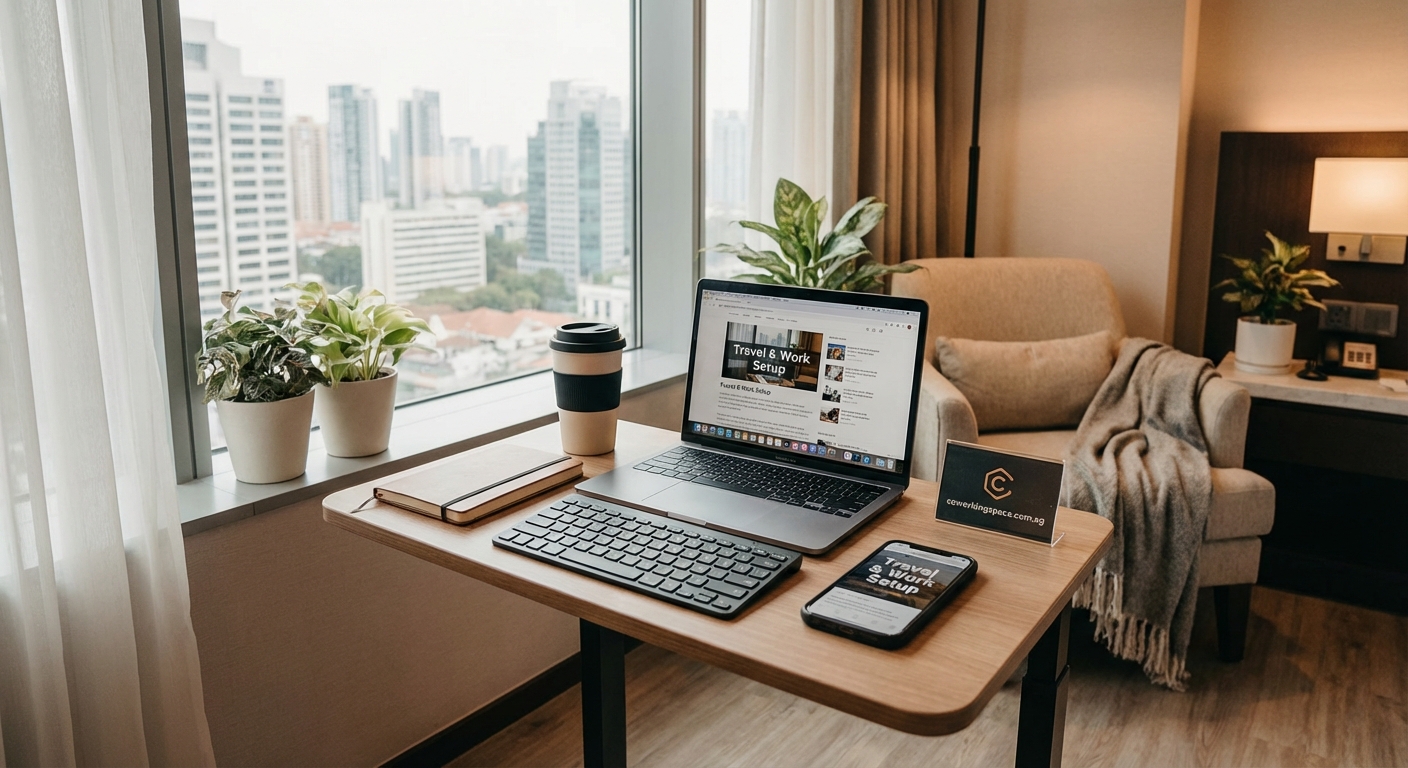
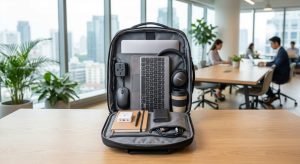
Your mobile office lives in your luggage. These items transform any hotel room into a functional workspace.
Technology essentials:
- Laptop stand or portable riser
- Wireless mouse and keyboard
- USB-C hub with multiple ports
- International power adapter
- Portable charger with high capacity
- Mobile hotspot device
- Noise-canceling headphones
- Webcam with better quality than laptop camera
- External microphone for clear audio
Workspace improvements:
- Small LED desk lamp
- Phone or tablet stand
- Cable organizers and ties
- Sticky notes and pens
- Portable document holder
- Microfiber cleaning cloth
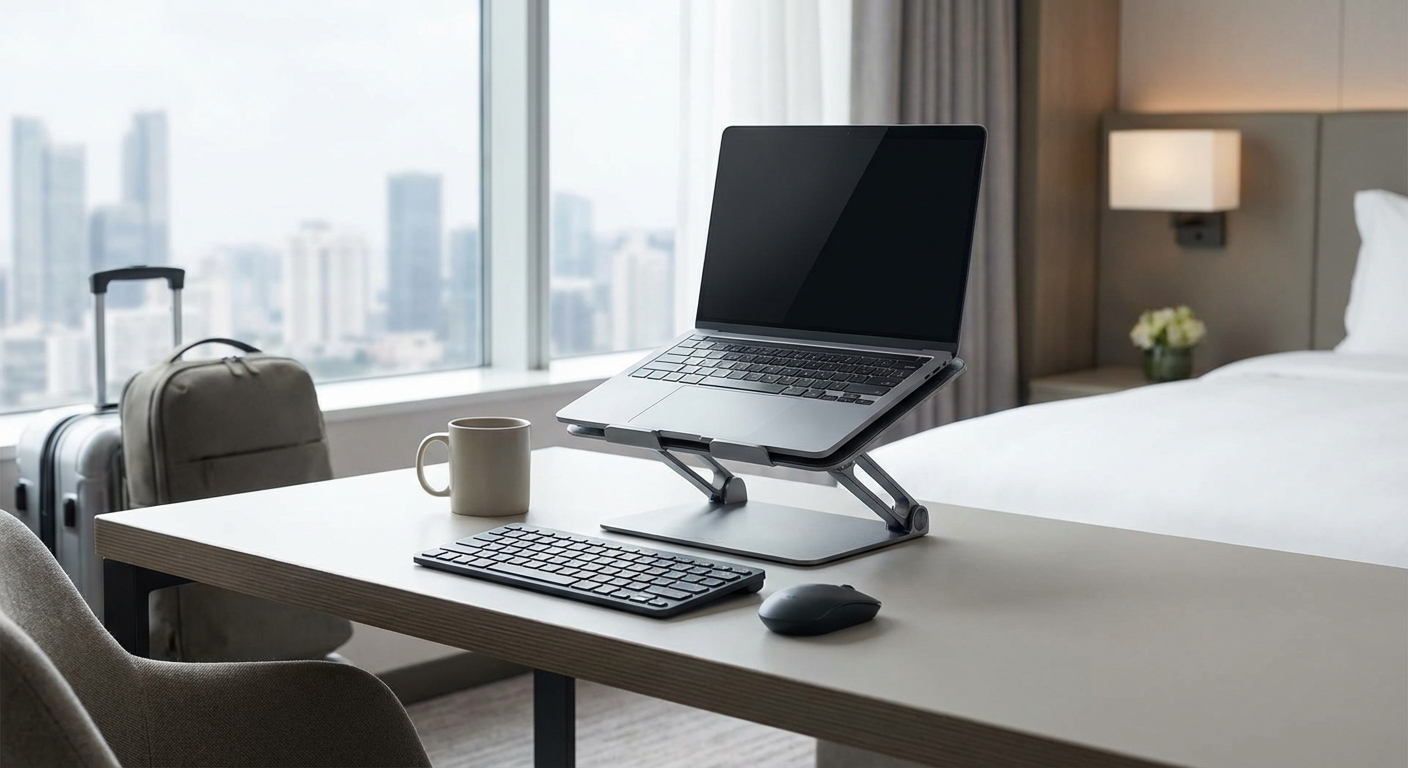
The laptop stand matters more than you think. Raising your screen to eye level prevents neck strain during long work sessions. A $30 foldable stand saves you from hunching over your laptop for hours.
What should you pack in your travel work kit for seamless remote working? covers additional items that make remote work easier across different locations.
Set Up Your Ergonomic Workspace
Hotel furniture wasn’t designed for eight-hour work sessions. You need to adapt what’s available.
1. Adjust your chair height
Most hotel desk chairs don’t adjust properly. If the chair sits too low, place firm pillows or folded towels underneath you. Your feet should rest flat on the floor with your knees at a 90-degree angle.
2. Position your screen correctly
Your laptop screen should sit at arm’s length away, with the top of the screen at or slightly below eye level. This prevents neck strain and reduces eye fatigue.
Use books, boxes, or your laptop stand to achieve the right height. The hotel Bible and phone book work perfectly for this purpose.
3. Create proper keyboard placement
Your keyboard should sit at a height where your elbows bend at 90 degrees and your wrists remain straight. If you’re using your laptop keyboard while the screen sits on a stand, you need an external keyboard.
4. Arrange adequate lighting
Position your desk lamp to illuminate your workspace without creating screen glare. For video calls, face a window or place a lamp behind your laptop to light your face evenly.
5. Organize your cables
Use cable ties or clips to keep cords organized and prevent them from pulling your devices off the desk. Route power cables away from your work area to avoid tripping hazards.
Are standing desks and ergonomic chairs worth it in coworking spaces? explores why proper ergonomics matter for productivity and health.
Optimize Your Internet Connection
Hotel WiFi fails at the worst possible moments. During important client calls. While uploading large files. In the middle of a video presentation.
Test the internet speed immediately after checking in. Run a speed test using your phone and laptop in different areas of the room. Connection strength varies dramatically between the desk area and spots near the door or window.
If the hotel WiFi proves unreliable, switch to your mobile hotspot. Modern smartphones provide surprisingly stable connections for video calls and file transfers. Keep your portable charger nearby since hotspot mode drains battery quickly.
Call the front desk if you experience persistent connection issues. Many hotels offer ethernet cables or can move you to a room with better WiFi coverage. Business floors typically have stronger, more reliable connections than standard rooms.
Consider the time of day. Hotel internet slows down during peak hours when other guests stream movies or download large files. Schedule bandwidth-intensive tasks for early morning or late evening when fewer people use the network.
Control Your Lighting Environment
Lighting makes or breaks your video call appearance and affects your ability to focus throughout the day.
Natural light provides the best illumination for work and video calls. Position your desk perpendicular to the window rather than facing it directly. This setup gives you good light without creating harsh shadows or forcing you to squint at your screen.
For video calls, you want light on your face, not behind you. If the window sits behind your workspace, close the curtains and use your desk lamp instead. Backlighting turns you into a dark silhouette on camera.
Hotel rooms often have terrible overhead lighting. The harsh fluorescent or dim yellow bulbs create eye strain and make everything look washed out. Bring a small LED desk lamp with adjustable brightness. Position it to bounce light off the wall or ceiling for softer, more even illumination.
Late afternoon sun streaming through windows creates glare on your screen. Keep the blackout curtains accessible so you can control the light levels throughout the day. Some hotels provide sheer curtains that diffuse bright sunlight while maintaining visibility.
“The quality of your lighting directly impacts your perceived professionalism on video calls. Clients and colleagues notice when you look washed out or shadowy. Investing in proper lighting setup shows you take your remote work seriously.”
Minimize Noise Distractions
Hotel rooms amplify every sound. Hallway conversations. Slamming doors. The ice machine down the corridor. Housekeeping carts rattling past your door.
Request a room away from elevators, ice machines, and vending areas when you book. Corner rooms typically offer more quiet than mid-hallway locations. Higher floors reduce street noise in urban hotels.
Use your noise-canceling headphones for focused work sessions. They block out ambient hotel sounds and signal to your brain that it’s time to concentrate.
For video calls, test your microphone setup before important meetings. Hotel air conditioning units create background noise that your laptop microphone amplifies. An external microphone with noise suppression features provides much clearer audio.
Place the “Do Not Disturb” sign on your door during work hours. Call housekeeping and request they clean your room at a specific time that doesn’t conflict with your meeting schedule. Most hotels accommodate these requests without issue.
If noise remains problematic, use white noise apps or play soft background music through your headphones. These sounds mask irregular hotel noises and help maintain your concentration.
Establish Work and Rest Boundaries
Hotel rooms combine your bedroom, office, and living space into one small area. Without clear boundaries, work bleeds into every moment of your stay.
Designate specific zones for different activities. The desk area is for work only. The bed is for sleep only. The chair by the window is for breaks and personal time.
Pack away your work materials at the end of each day. Close your laptop. Put your notebooks in your bag. Clear the desk surface. This physical act signals to your brain that work time has ended.
Avoid checking email or doing “just one more thing” while sitting on the bed. These habits destroy your sleep quality and make it harder to disconnect from work.
Create a shutdown routine that marks the transition from work mode to personal time. This might include a short walk around the hotel, a workout in the fitness center, or simply changing out of your work clothes.
Many remote workers find that building a personal productivity system that works in any coworking environment helps them maintain boundaries and routines across different locations.
Manage Your Power and Charging Needs
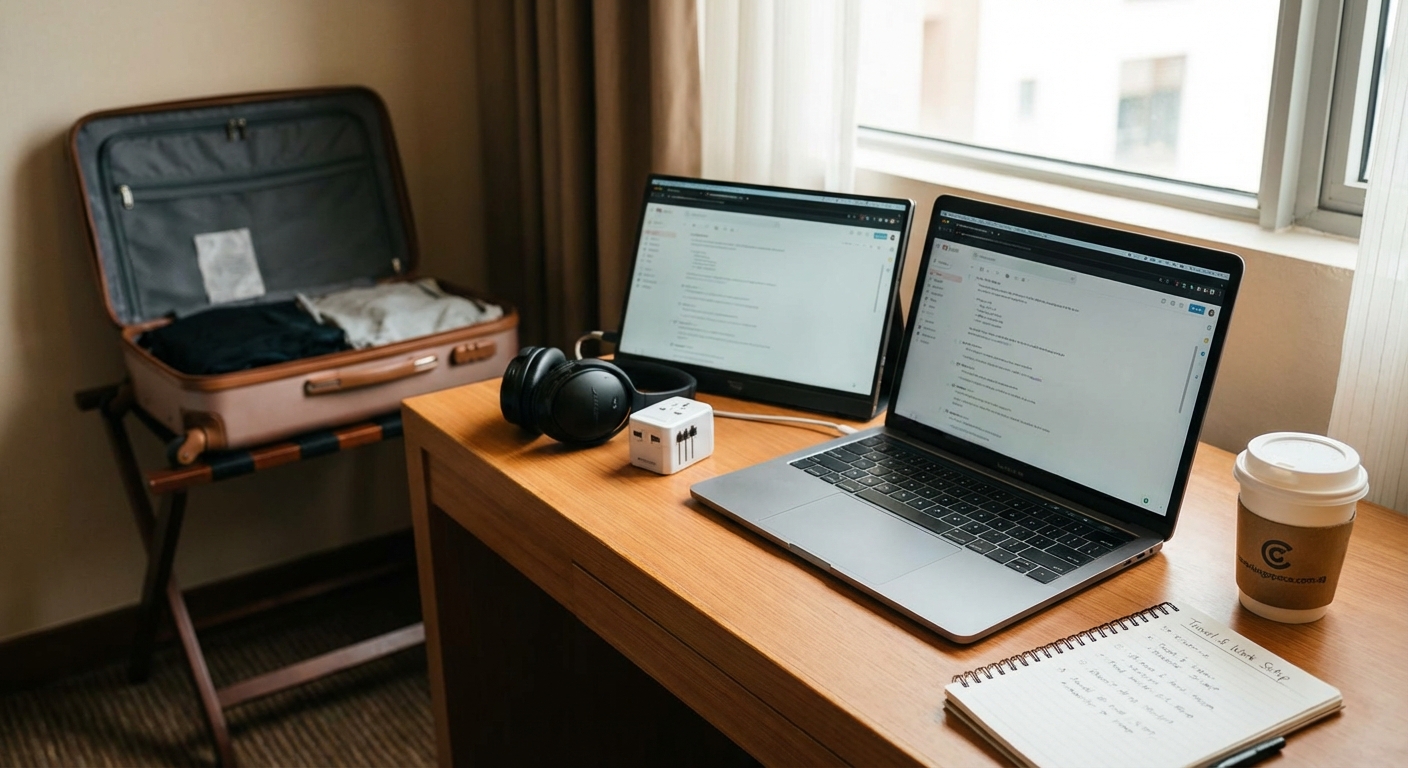
Hotel rooms never have enough outlets in the right places. The desk might have one outlet. The bedside table has two. Nothing sits near the workspace you’ve created.
Bring a power strip with at least four outlets and a long cord. This single item solves most hotel power problems. Place it near your workspace and plug in your laptop, phone, tablet, and any other devices.
Identify all available outlets when you first enter the room. Some hotels hide outlets behind furniture or inside desk drawers. Others install USB charging ports in unexpected locations like mirrors or headboards.
Keep your portable charger fully charged overnight. This backup power source keeps you working if outlets fail or you need to work from the hotel lobby or a nearby cafe.
Charge your devices overnight using the outlets near the bed. This keeps your workspace clear during the day and ensures everything starts at 100% each morning.
Create Effective Video Call Backgrounds
Your hotel room background appears in every video meeting. A messy bed or cluttered desk undermines your professional image.
Survey your room for the most neutral, clean background. Blank walls work best. Curtains provide a simple backdrop. Some hotels offer artwork or architectural features that look professional on camera.
Avoid backgrounds that include mirrors, windows with bright light, or personal items scattered around. These elements distract meeting participants from focusing on you and your message.
Test your background before your first call. Sit at your workspace and open your video call software. Check what appears behind you. Adjust your position or camera angle to improve the view.
If your room offers no good background options, use your video software’s background blur feature. This softens everything behind you without the artificial look of virtual backgrounds.
Keep the area behind you tidy throughout your stay. Make the bed each morning. Put away clothes and luggage. A clean background takes 30 seconds to maintain and significantly improves your professional appearance.
Maintain Consistent Work Routines
Traveling disrupts your normal routines. Different time zones. Unfamiliar surroundings. The temptation to work at odd hours or skip your usual practices.
Stick to your regular work schedule as much as possible. Start at the same time each day. Take breaks at consistent intervals. End work at your normal stopping time.
Managing time zones and client calls while working across countries becomes easier when you maintain consistent daily patterns within your own schedule.
Begin each workday with the same routine. Make coffee in the room’s coffee maker. Review your task list. Respond to urgent messages. This familiar pattern helps your brain shift into work mode despite the unfamiliar environment.
Take regular breaks away from your workspace. Walk to the hotel lobby. Step outside for fresh air. Visit the fitness center. These breaks prevent the cabin fever that develops when you spend entire days in a small hotel room.
End your workday with a clear shutdown ritual. Close all work applications. Write tomorrow’s priority list. Pack your work materials into your bag. This consistent ending helps you mentally disconnect from work.
Common Hotel Office Mistakes and Solutions
| Mistake | Why It Fails | Better Approach |
|---|---|---|
| Working from the bed | Destroys sleep quality and reduces focus | Use the desk or table exclusively for work |
| Relying solely on hotel WiFi | Unreliable during peak hours and important calls | Carry a mobile hotspot as backup |
| Skipping ergonomic setup | Causes neck and back pain after long sessions | Take 10 minutes to adjust furniture and screen height |
| Leaving workspace cluttered | Creates mental distraction and looks unprofessional on calls | Clear the desk at the end of each day |
| Ignoring lighting setup | Makes you look unprofessional on video calls | Position lamp or natural light to illuminate your face |
| Working irregular hours | Disrupts sleep and reduces overall productivity | Maintain consistent start and end times |
Handle Extended Hotel Stays
Staying in hotels for weeks or months requires different strategies than overnight business trips.
Request a room with more workspace. Many hotels offer suites or rooms with separate sitting areas that function better as long-term offices. The extra cost often proves worthwhile for extended stays.
Negotiate with the hotel for better amenities. Long-term guests can often get complimentary room upgrades, free breakfast, or access to meeting rooms for important video calls.
Establish relationships with hotel staff. The front desk can help with special requests. Housekeeping can work around your schedule. The concierge might recommend nearby coworking spaces for days when you need a change of environment.
Consider mixing hotel stays with coworking day passes vs monthly memberships to break up the monotony and access better work facilities.
Maintain your health routines. Use the hotel gym. Take walks outside. Eat regular meals instead of relying on room service. Extended hotel stays make it easy to neglect physical health, which directly impacts your work performance.
Technology Troubleshooting for Hotel Workers
Technology problems multiply when you work from hotels. Prepare for common issues before they derail your workday.
Slow internet solutions:
- Switch to mobile hotspot
- Move closer to the router
- Work during off-peak hours
- Use ethernet cable if available
- Compress large files before uploading
Power problems:
- Bring international adapters for overseas travel
- Pack a power strip with surge protection
- Keep portable charger fully charged
- Identify all room outlets immediately
- Request extension cord from front desk
Audio and video issues:
- Test equipment before important calls
- Use external microphone for better quality
- Position camera at eye level
- Check background and lighting
- Close bandwidth-heavy applications during calls
Security concerns:
- Use VPN on hotel networks
- Never save passwords on hotel computers
- Enable two-factor authentication
- Keep devices locked when leaving room
- Back up important files to cloud storage
7 essential tools remote workers need when using coworking spaces includes additional technology recommendations that apply equally to hotel workers.
Alternative Workspace Options
Sometimes hotel rooms simply don’t work. The noise proves too distracting. The internet fails repeatedly. The workspace feels too cramped.
Know your backup options before you need them. Research nearby coworking spaces before you travel. Many cities offer day passes at reasonable rates. These spaces provide reliable internet, proper desks, and a more professional environment for important meetings.
Hotel lobbies often function as acceptable workspaces for short tasks. The seating might not be ideal for extended work sessions, but the atmosphere works well for phone calls or responding to emails between meetings.
Coffee shops provide another alternative, though they come with their own challenges. Noise levels fluctuate. Table space is limited. Internet can be unreliable. Use them for variety rather than as your primary workspace.
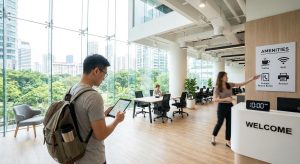
Some hotels offer business centers with proper desks, office chairs, and printing facilities. These spaces work well for important video calls when your room environment isn’t suitable.
How to evaluate a coworking space in 15 minutes when you’re new to a city helps you quickly assess alternative workspace options while traveling.
Making Hotel Work Sustainable
Working from hotel rooms occasionally is manageable. Doing it regularly requires intentional strategies to maintain your productivity and wellbeing.
Track which hotel brands and room types work best for your needs. Some chains consistently provide better work environments than others. Loyalty to hotels that support your work style pays off through better rooms and amenities.
Develop a packing system that makes setup and teardown efficient. Keep your mobile office kit in a dedicated bag. Create a checklist so you never forget essential items. The less time you spend setting up, the more energy you have for actual work.
Recognize when hotel work stops being productive. If you’re traveling constantly, your performance eventually suffers. Consider basing yourself in one location and using best coworking spaces in Singapore for digital nomads on short-term stays or similar options in other cities.
Build recovery time into your schedule. Extended periods of hotel work drain your energy. Plan breaks between trips. Use weekends to reset your routines. Give yourself permission to work from better environments when hotel rooms aren’t cutting it.
Connect with other remote workers and business travelers. They understand the challenges and often share valuable tips for specific hotels or cities. Online communities and local meetups provide both practical advice and social connection.
Your Mobile Office Starts With Preparation
The difference between productive hotel work and frustrating struggles comes down to preparation. You can’t control the hotel room you get, but you can control how you adapt it to your needs.
Start building your mobile office kit today. Add one item each week until you have everything you need. Test your setup during your next hotel stay and refine what works.
Remember that even experienced remote workers need time to adjust to new environments. Give yourself grace during the first day in a new hotel. Your productivity will improve once you’ve optimized the space and established your routine.
The skills you develop working from hotel rooms transfer to other temporary workspaces. You’ll find it easier to be productive in airports, client offices, or anywhere else your work takes you. Each hotel stay teaches you something new about creating functional workspaces in challenging environments.
Pack smart. Set up intentionally. Maintain boundaries. Your next hotel room can become a surprisingly effective mobile office with the right approach.