
Working from three different locations in a single week used to mean juggling three separate contracts, three sets of keys, and three different billing cycles. Not anymore.
Hybrid workspace memberships in Singapore now let you move between your home office, a professional coworking desk, and client meeting rooms without the administrative headache. You pay one fee, access multiple locations, and adjust your workspace to match your daily needs.
Hybrid workspace memberships in Singapore combine home, coworking, and client-facing locations under one flexible plan. You get professional meeting rooms when needed, dedicated desk access for focus work, and the freedom to work remotely on other days. Plans typically range from $200 to $800 monthly, depending on access frequency and location options. This model suits professionals who need workspace variety without committing to a full-time office lease.
Understanding hybrid workspace memberships
A hybrid workspace membership gives you access to multiple work environments through a single subscription.
You might work from home on Mondays and Tuesdays, use a coworking desk in Raffles Place on Wednesdays, meet clients at a Tiong Bahru location on Thursdays, and finish the week at a quiet study pod near your apartment.
The membership covers all these scenarios. You book spaces through an app, check availability in real time, and switch locations based on your schedule.
Most providers in Singapore offer three core components:
- Remote work flexibility with no space booking required
- Coworking desk access at one or more locations
- Meeting room credits for client presentations
The model works because not everyone needs a desk every day. A graphic designer might need a desk twice a week but a meeting room once a month. A consultant might work from home most days but need a professional space for video calls.
Hybrid memberships price this variability into the plan. You pay for access, not guaranteed occupancy.
How Singapore’s hybrid workspace model works
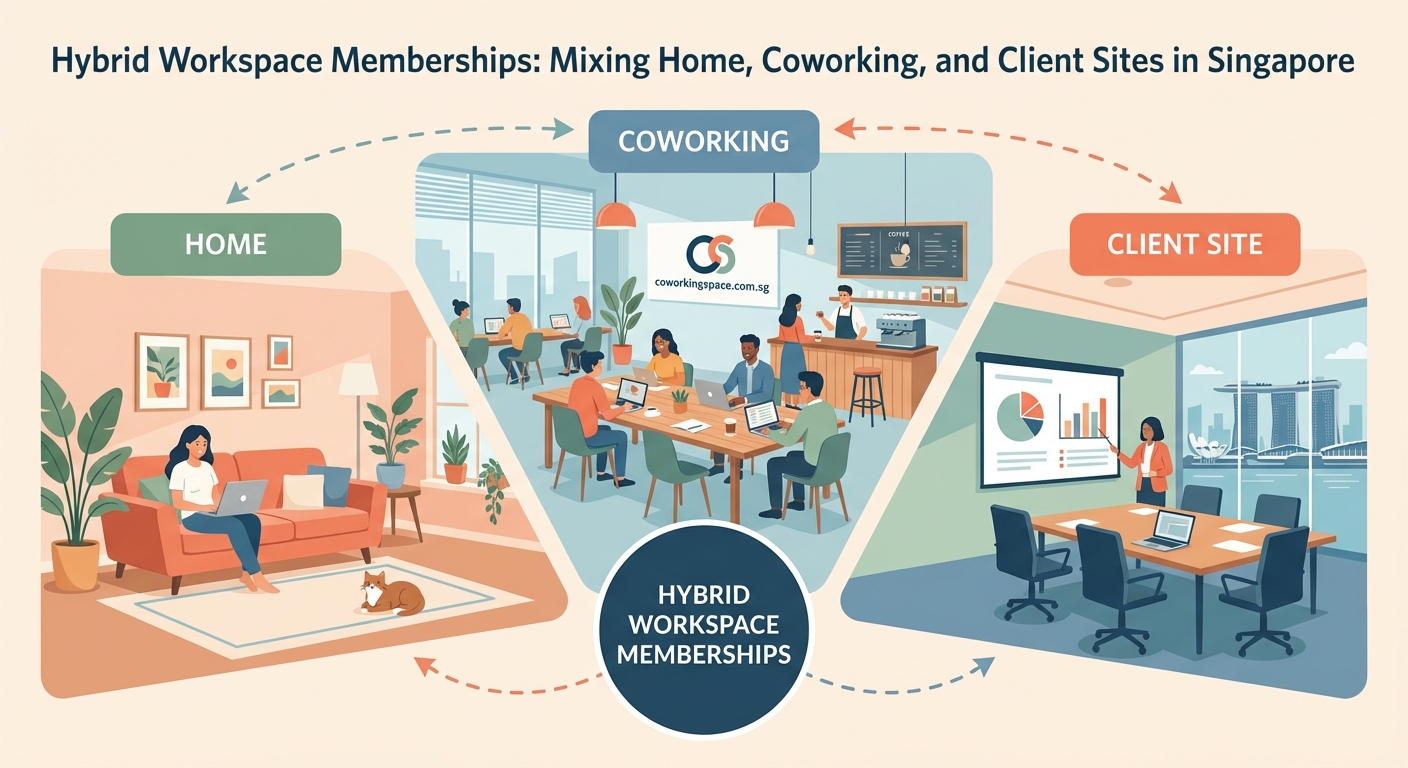
Singapore’s hybrid workspace providers operate on a credit or day-pass system within your membership tier.
Let’s say you sign up for a mid-tier plan at $400 per month. Your membership might include:
- 10 full-day coworking passes per month
- 5 hours of meeting room time
- Access to all network locations across Singapore
- Virtual office services like mail handling
You use the app to book a desk at any participating location. If you only need 6 days of coworking this month, you save the remaining 4 passes for next month or let them expire, depending on the provider’s rollover policy.
Some memberships work on a points system instead. Each location and room type costs a different number of points. A hot desk in Geylang might cost 10 points for a full day, while a private office in Orchard Road costs 50 points. You spend your monthly allocation however you want.
This flexibility matters in Singapore’s high-rent environment. Traditional office space in the CBD can cost $8 to $12 per square foot monthly. A hybrid membership gives you CBD access without the long-term lease.
If you’re still comparing workspace types, understanding coworking membership types can help you decide which base plan fits your needs.
Membership tiers and what they include
Hybrid workspace providers in Singapore typically offer three to five membership tiers.
Basic tier ($200 to $300 per month):
* 5 to 8 coworking days per month
* 2 to 3 meeting room hours
* Access to 1 to 3 locations
* Basic amenities like WiFi and coffee
Standard tier ($400 to $500 per month):
* 10 to 15 coworking days per month
* 5 to 8 meeting room hours
* Access to all network locations
* Priority booking for popular spaces
* Virtual office add-ons available
Premium tier ($600 to $800 per month):
* 20+ coworking days per month
* 10 to 15 meeting room hours
* 24/7 access to select locations
* Dedicated locker storage
* Complimentary guest passes
Some providers also offer enterprise plans for teams of 5 or more. These plans bundle individual memberships with shared meeting room credits and team collaboration spaces.
The right tier depends on how often you need physical workspace. If you work from home four days a week and only need a desk for client-facing work, a basic tier covers your needs. If you split time evenly between home and coworking, a standard or premium tier makes more sense.
Hot desking versus dedicated desks breaks down the cost differences in more detail.
Building your weekly hybrid schedule
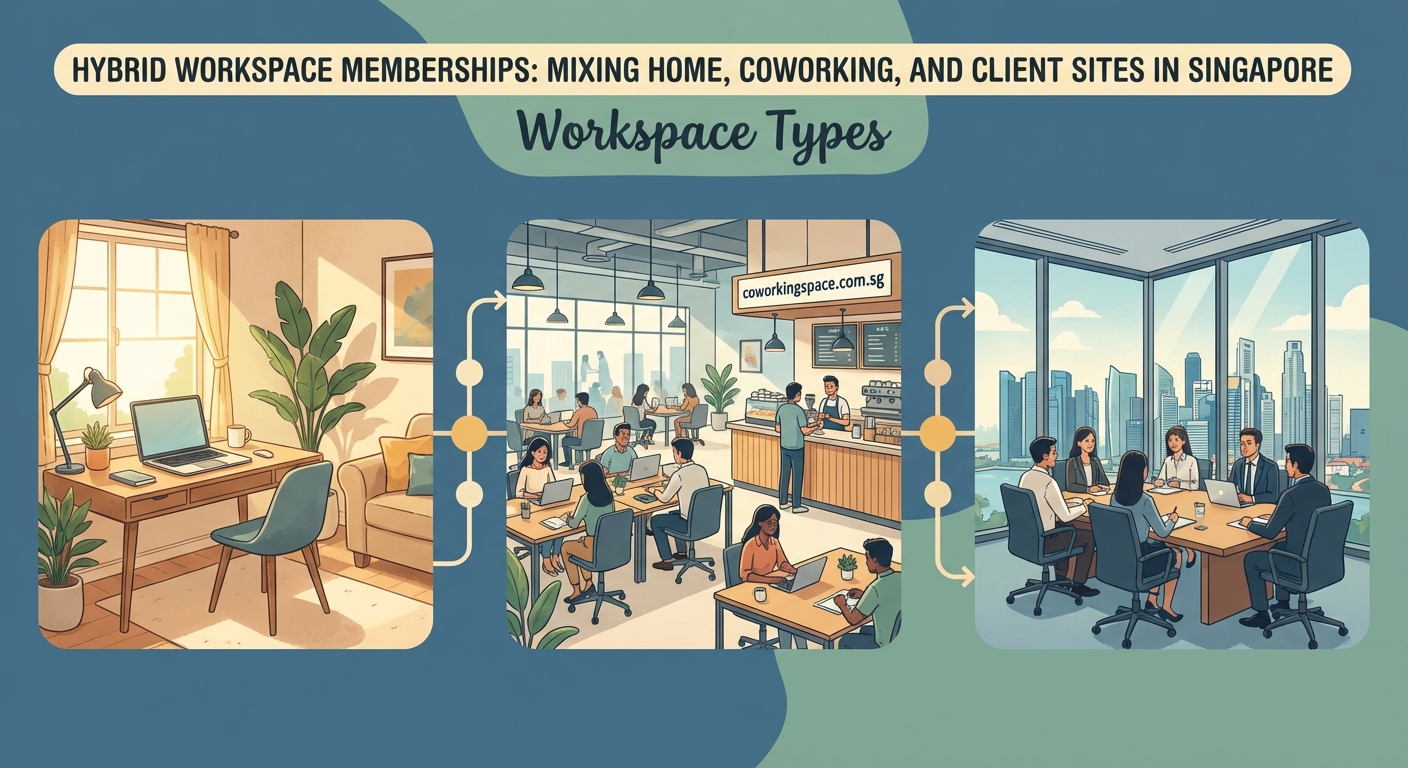
A functional hybrid schedule balances three workspace types based on task requirements, not personal preference alone.
Here’s a practical framework:
-
Map your recurring tasks by workspace need. Client calls need quiet rooms with good lighting. Deep work needs distraction-free environments. Administrative tasks work fine from anywhere with internet.
-
Assign locations to task types. Use home for focused writing or coding sessions. Book coworking desks for days with multiple video calls. Reserve meeting rooms only when clients or partners need face time.
-
Block your calendar in advance. Most coworking apps let you book spaces 7 to 14 days ahead. Block your coworking days at the start of each week to secure your preferred location and desk type.
-
Build buffer time between locations. If you’re meeting a client at a Raffles Place coworking space at 2pm, don’t book a home-based call at 3pm. Singapore’s public transport is reliable, but transitions take time.
-
Review and adjust monthly. Track which days you actually used your coworking passes versus which days you stayed home. Adjust your membership tier if you consistently over or under-use your allocation.
A marketing consultant might structure her week like this:
- Monday and Friday: Home office for strategy work and content creation
- Tuesday: Coworking desk near client offices for back-to-back meetings
- Wednesday: Home office for admin and email catch-up
- Thursday: Coworking desk in a different neighborhood for variety and networking
This pattern uses 8 to 10 coworking days per month, fitting a standard tier membership.
For more strategies on structuring your time, how to build an effective hybrid work schedule offers additional frameworks.
Comparing costs across membership types
Understanding the true cost of hybrid workspace memberships requires looking beyond the monthly fee.
Here’s a comparison table:
| Membership Type | Monthly Fee | Coworking Days Included | Cost Per Day | Meeting Room Hours | Hidden Costs |
|---|---|---|---|---|---|
| Basic Hybrid | $200 to $300 | 5 to 8 | $25 to $60 | 2 to 3 | Extra day fees, printing charges |
| Standard Hybrid | $400 to $500 | 10 to 15 | $27 to $50 | 5 to 8 | Locker rental, guest passes |
| Premium Hybrid | $600 to $800 | 20+ | $30 to $40 | 10 to 15 | Parking, premium location access |
| Traditional Office | $1,200 to $2,500 | 22 to 30 | $40 to $115 | Unlimited | Utilities, cleaning, furniture |
The cost per day drops as you use more days, but only if you actually use them. A $500 membership with 15 included days costs $33 per day if you use all 15. If you only use 10 days, your real cost jumps to $50 per day.
Most providers charge $30 to $60 for additional day passes beyond your included allocation. If you consistently need extra days, upgrading to the next tier usually costs less than buying add-on passes.
Hidden costs to watch for:
- Printing and scanning fees (typically $0.10 to $0.50 per page)
- Guest day passes ($20 to $40 per guest)
- Locker or storage rental ($30 to $80 per month)
- Premium location surcharges (some CBD locations cost extra)
- Parking fees at certain buildings
For freelancers and small business owners, 7 money-saving tips for freelancers using coworking spaces can help you maximize value from your membership.
Choosing locations that match your client base
Location strategy matters more in a hybrid model than in traditional coworking.
When you work from one fixed desk, you optimize for your own commute. When you work from multiple locations, you optimize for client proximity and meeting convenience.
A financial consultant working with CBD clients should prioritize memberships with strong Raffles Place coverage. A creative professional working with lifestyle brands might prefer Tiong Bahru locations.
Consider these factors when evaluating location networks:
- Client concentration. Where do most of your clients work? Choose a provider with multiple locations in that area.
- Meeting room quality. Not all coworking spaces offer the same meeting room standards. Visit locations before committing to ensure they match your client expectations.
- Commute flexibility. Pick providers with locations near multiple MRT lines. This gives you backup options when your preferred space is fully booked.
- Neighborhood perception. Some clients expect meetings in premium districts. Others prefer casual, creative neighborhoods. Match locations to client expectations.
A hybrid membership with locations in Raffles Place, Paya Lebar, and Orchard Road gives you geographic coverage across Singapore’s main business districts. You can suggest meeting locations that minimize client travel time, which improves meeting attendance and relationship quality.
If you travel frequently for work, coworking near Changi Airport might be a strategic addition to your location list.
Managing meeting room bookings across multiple sites
Meeting room booking becomes more complex when you’re working across multiple locations.
Most hybrid workspace providers use a centralized booking system. You log into one app or web portal and see availability across all locations in the network.
Best practices for managing bookings:
- Book meeting rooms before booking your coworking day. Meeting rooms fill up faster than hot desks, especially in popular locations during peak hours (9am to 11am and 2pm to 4pm).
- Choose your coworking location based on your meeting schedule. If you have a client meeting at 3pm, book a desk at the same location for the full day. This eliminates travel time and gives you a place to prepare before the meeting.
- Buffer your meeting room bookings. Book 15 minutes before and after your actual meeting time. This gives you setup time and prevents back-to-back scheduling stress.
- Understand cancellation policies. Most providers let you cancel meeting room bookings 24 to 48 hours in advance without penalty. Last-minute cancellations might cost you credits or fees.
Some providers charge meeting room time against your monthly allocation. Others let you book freely within your included hours. Check whether unused meeting room hours roll over to the next month or expire.
For more details on booking systems, meeting room booking systems at Singapore coworking spaces explains what to expect.
Technology and tools for seamless workspace switching
Successful hybrid working requires the right technology stack.
Your setup needs to work identically whether you’re at home, in a coworking space, or at a client site.
Essential tools:
- Cloud storage. Keep all work files in Dropbox, Google Drive, or OneDrive. Never rely on local storage when switching locations frequently.
- Password manager. Use 1Password or Bitwarden to access accounts from any device without memorizing dozens of passwords.
- VPN service. Protect your connection on public coworking WiFi networks. Most providers offer secure networks, but a VPN adds an extra layer of security.
- Portable hotspot. Keep a backup mobile hotspot for locations with unreliable internet. Singapore’s coworking spaces generally have excellent connectivity, but redundancy prevents disruptions.
- Noise-canceling headphones. Essential for video calls in shared spaces. They also signal to others that you’re focused and unavailable.
- Portable monitor. A lightweight USB-powered monitor extends your laptop screen at any location. Many professionals find dual monitors essential for productivity.
Your booking app becomes your central workspace hub. It should show:
- Available desks and rooms across all locations
- Your upcoming bookings and check-in times
- Your remaining credits or day passes
- Guest pass options for bringing colleagues or clients
Some providers integrate with calendar apps like Google Calendar or Outlook. This lets you book coworking days directly from your calendar interface.
7 essential tools remote workers need covers additional software and hardware recommendations.
Common mistakes when starting hybrid memberships
New hybrid workspace members often make predictable mistakes.
Mistake 1: Overestimating workspace needs. Many professionals sign up for premium tiers thinking they’ll use coworking spaces 15 to 20 days per month. Reality often settles at 8 to 12 days. Start with a basic or standard tier and upgrade if needed.
Mistake 2: Ignoring location accessibility. A membership with 10 locations sounds impressive, but if only 2 are convenient to your home or client base, you’re paying for access you won’t use.
Mistake 3: Booking the same desk type every time. Hybrid memberships give you variety. Use hot desks for routine work, quiet pods for focused tasks, and meeting rooms for client interactions. Matching workspace to task type improves productivity.
Mistake 4: Not using meeting room credits. Many members let meeting room hours expire unused. If you have credits, use them for video calls that need professional backgrounds, not just client meetings.
Mistake 5: Skipping the trial period. Most providers offer day passes or week-long trials. Test the locations, amenities, and booking system before committing to a monthly membership.
Mistake 6: Neglecting community features. Hybrid memberships often include networking events, workshops, and member directories. These features justify part of your membership cost and can lead to business opportunities.
For more guidance on avoiding common pitfalls, 5 common coworking mistakes that new members make provides additional insights.
Evaluating providers before you commit
Not all hybrid workspace providers operate the same way.
Before signing up, evaluate these factors:
Network size and coverage. How many locations does the provider operate? Are they concentrated in one area or spread across Singapore? Larger networks give you more flexibility but might sacrifice location quality.
Booking system usability. Request a demo of the booking app. Can you easily see availability, book spaces, and modify reservations? A clunky system wastes time and creates frustration.
Member reviews and reputation. Check Google reviews, Facebook groups, and LinkedIn discussions. Look for patterns in complaints. Occasional negative reviews are normal, but consistent issues with cleanliness, internet reliability, or customer service are red flags.
Contract terms and flexibility. Can you pause your membership if you travel for a month? What’s the cancellation notice period? Some providers lock you into 3, 6, or 12 month contracts. Others offer month-to-month flexibility with slightly higher rates.
Amenities and services. What’s included in your base membership? Some providers offer premium coffee, printing credits, and locker storage. Others charge extra for everything beyond desk access.
Trial options. Ask about day passes or week-long trials. Spend a full workday at each location you’re considering. Test the WiFi speed, noise levels, desk comfort, and meeting room quality.
Community culture. Visit during peak hours to observe the member community. Are people networking and collaborating, or is everyone working silently with headphones? Neither is wrong, but one might fit your working style better.
If you’re new to coworking entirely, how to choose your first coworking space in Singapore walks through the evaluation process in more detail.
Hybrid memberships for different professional profiles
Different professionals benefit from hybrid memberships in different ways.
Freelancers and consultants often need meeting spaces more than daily desk access. A basic tier with extra meeting room credits works well. They can work from home most days and book professional spaces only when meeting clients.
Small business owners with 2 to 5 employees might use hybrid memberships as their primary office solution. They book multiple desks on the same days, creating a temporary team workspace without the cost of a dedicated office.
Remote employees of larger companies use hybrid memberships to escape home isolation without commuting to a corporate office. They value quiet zones, reliable internet, and professional video call backgrounds.
Digital nomads and traveling professionals need short-term flexibility. Month-to-month memberships with no cancellation penalties let them maintain a professional workspace base while traveling. Best coworking spaces for digital nomads on short-term stays covers options for this group.
Corporate teams implementing hybrid policies use coworking memberships to give employees workspace options beyond home and headquarters. This works especially well for teams spread across different neighborhoods.
Match your membership tier to your actual workspace patterns, not your ideal ones. Most professionals overestimate how often they’ll leave home for coworking spaces. Start conservative and upgrade if you consistently max out your allocation.
Making hybrid workspace memberships work long term
Sustaining a hybrid workspace routine requires intentional habits.
Create location-specific rituals. Associate certain tasks with certain locations. Always do creative brainstorming at coworking spaces. Always do administrative work at home. These associations train your brain to shift into the right mode when you arrive at each location.
Track your actual usage monthly. Set a calendar reminder to review your coworking day usage at the end of each month. If you’re consistently using 60% or less of your included days, downgrade your tier. If you’re buying extra passes regularly, upgrade.
Build relationships at your most-used locations. Regular attendance at one or two locations helps you build community connections. These relationships often lead to referrals, partnerships, and business opportunities.
Maintain consistent work hours. Hybrid flexibility doesn’t mean erratic schedules. Keep regular start and end times regardless of location. This maintains work-life boundaries and makes you more reliable to clients and colleagues.
Invest in quality portable equipment. Cheap headphones, unreliable chargers, and flimsy laptop bags create friction when switching locations. Quality gear makes transitions smoother and reduces stress.
Communicate your schedule clearly. Let clients and colleagues know which days you’re in coworking spaces versus working from home. This manages expectations around response times and meeting availability.
For productivity strategies that work across all locations, building a personal productivity system that works in any coworking environment offers practical frameworks.
When hybrid memberships don’t make sense
Hybrid workspace memberships aren’t the right solution for everyone.
If you need daily desk access, a dedicated desk membership or small private office costs less per day than a premium hybrid plan. The flexibility premium only makes sense if you actually use the flexibility.
If you rarely meet clients in person, you’re paying for meeting room access you don’t need. A simple coworking membership or home office setup might be more cost-effective.
If you work in an industry requiring specialized equipment, coworking spaces can’t accommodate your needs. Photographers, engineers, and manufacturers need dedicated studio or workshop space.
If you have a team of 10 or more, traditional office space with a short-term lease often costs less per person than individual hybrid memberships. The breakeven point varies by location and provider, but generally falls around 8 to 12 people.
If you need 24/7 access consistently, most hybrid memberships restrict after-hours access to premium tiers. A dedicated office or private suite might be more practical.
If you value routine and consistency, the variety inherent in hybrid working might feel disruptive rather than freeing. Some people work best from the same desk every day.
Are coworking spaces worth the cost helps you evaluate whether any coworking model fits your situation.
Finding the right hybrid workspace balance
Hybrid workspace memberships work best when you treat them as a tool, not a solution.
The membership gives you options. Your job is to use those options strategically based on your actual work patterns, not theoretical ideals about flexibility.
Start with a basic tier. Track your usage for two months. Adjust your membership based on real data, not assumptions.
Visit multiple locations before deciding. The booking app might show 15 available spaces, but you’ll probably use 2 to 3 regularly. Make sure those core locations meet your standards.
Remember that workspace flexibility serves your work, not the other way around. If working from the same desk every Tuesday improves your productivity, do that. If switching locations daily keeps you energized, do that instead.
The goal isn’t maximum flexibility. It’s the right amount of flexibility for your specific work style, client needs, and professional goals.